Travel guide
Best eSIM for Japan in 2026: Tokyo, Kyoto & Rural Coverage
 Noa Regev7 min read

Japan is a genuinely good eSIM-only trip. Cellular coverage in Tokyo, Osaka, Kyoto, and along the Shinkansen bullet-train routes is strong and mostly 5G. Plan prices are well below international roaming or an airport SIM. The main caveat: mountainous rural areas and smaller islands, where coverage can weaken — a point Japan's official tourism authority (JNTO) makes explicitly, recommending a backup like an eSIM or pocket wifi precisely for those remote areas. For anyone sticking to the classic Tokyo-Kyoto route, an eSIM alone is enough.
Before you keep reading: if you're not sure how much data you'll need, SimSIM's data calculator gives you an estimate based on your trip style in under a minute, and the eSIM-compatible devices list confirms your phone actually supports eSIM before you buy.
Key Takeaways
- Price: A 10GB/30-day plan costs 30.90 ILS on SimSIM, and if you run out, you add a plan to the same eSIM straight from the app.
- Coverage: The network is strong and stable in Tokyo, Osaka, Kyoto, and along most of the Shinkansen route; JNTO itself recommends a backup in more rural and remote areas.
- Data needs: Most Tokyo/Kyoto trips don't need more than 10-15GB for a week or two, even with heavy navigation, translation, and photos.
- Pocket wifi: Japan is one of the few places in the world where renting a portable router is genuinely worth it — mainly for groups who want to split one connection.
- Setup: eSIMs install before you fly and connect automatically on landing — no counter, no line.

How Much Data Do You Actually Need in Japan?
Data usage in Japan is broadly similar to other urban Asian destinations, but there's one distinct factor: Tokyo and Osaka's dense train and subway systems push most travelers to rely much more heavily on real-time navigation and translation (Google Maps, Google Translate) than in destinations where you mostly walk or taxi around. Worth factoring in when you're estimating how much data you'll need.
- Light (a few days in Tokyo or Kyoto, mostly on hotel wifi): 3-5GB a week covers navigation, translation, and social media.
- Typical (a week or two across Tokyo, Kyoto, and Osaka, including Shinkansen rides): 10-15GB covers frequent navigation, photo uploads, and video calls home.
- Heavy (three to four weeks, including rural stretches or remote work): plan for 20GB or more, or top up mid-trip.
A realistic Tokyo day, in data: navigating between train stations on Google Maps throughout the day (~50MB). Translating a lunch menu with Google Translate's camera mode (~30MB). Uploading photos and a few Instagram stories from Shibuya, plus some scrolling (~300MB). Looking up restaurants and reading reviews on the train (~200MB). A 15-minute video call home in the evening (~150MB). Total: roughly 700MB for the day, which works out to about 5GB a week and 10GB for two weeks — right in the range of a 10GB plan, with no need for a huge one.
Not sure where you land on that scale? Plug your specific trip details into the data calculator for a tailored recommendation.
Coverage in Tokyo & Kyoto vs. Rural Areas and the Shinkansen
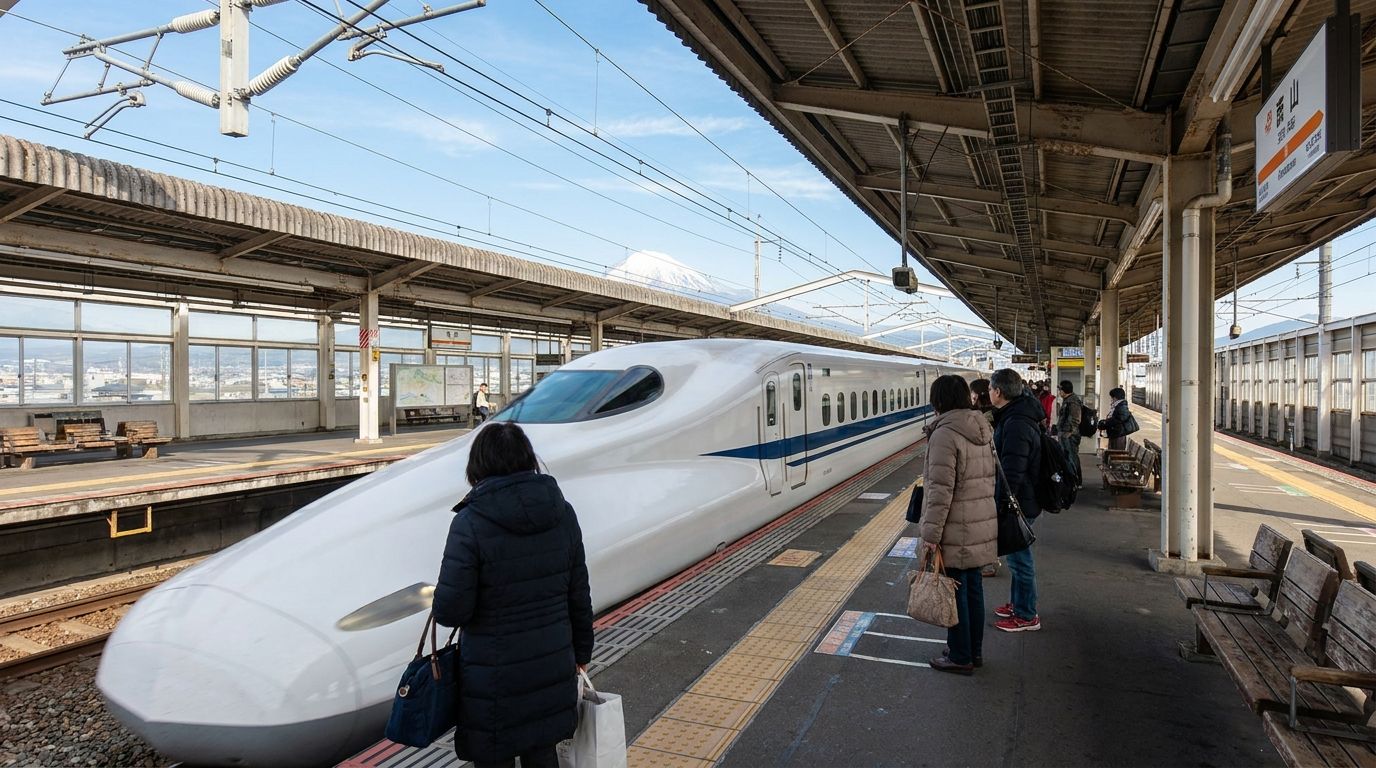
SimSIM's Japan eSIM runs on the country's four major cellular networks — NTT docomo, KDDI/au, SoftBank, and Rakuten Mobile — with 5G support on every plan. Coverage is reliably fast in Tokyo, Osaka, and Kyoto. According to an unverified claim from a single industry blog (not an official statement from NTT docomo or JR, and not cross-checked against a second independent source), the core Tokyo-Osaka Shinkansen stretch is described as mostly covered by 4G, including inside most tunnels. That said, JNTO — the official Japan tourism body — explicitly notes that connectivity becomes less certain the further you get from cities, and recommends a backup solution specifically in remote areas. Mountainous rural regions and smaller islands can have local coverage gaps. If your route includes hiking outside the main tourist corridors or more remote islands, download offline maps as a backup.
How Not to Pay for Data You Won't Use in Japan
The most common mistake before a Japan trip is buying a huge plan "just in case," out of fear of getting stuck offline in the middle of Shinjuku Station. In practice, as the daily breakdown above shows, even a busy Tokyo day uses less than 1GB, especially when you're back on hotel wifi in the evening.
What actually lowers the risk isn't a bigger plan, it's being able to add data mid-trip. In the SimSIM app, you add a plan to the same eSIM in a few taps: the data is added, and your validity extends by the period of the plan you added. No new QR code, no reinstall once you're already in Japan. The app also shows how much you have left, so after two or three days you'll know whether your pace fits your plan.
Here's what that looks like with SimSIM's Japan plans:
- A few days in Tokyo or Kyoto: 3GB for 30 days at 12.90 ILS.
- A week or two across Tokyo, Kyoto, and Osaka: start with 10GB at 30.90 ILS. If you're running low after the first week, add 5GB for 17.90 ILS from the app.
- Three to four weeks, or remote work: 20GB at 52.90 ILS, and add more only if you need it.
You pay for what you use, and you know exactly what each top-up costs before you buy it.
What If Something Doesn't Work When You Land?
Japan is 7 hours ahead of Israel in winter and 6 hours ahead in summer. A morning landing at Narita is the middle of the night back home, so don't count on help from home. Finish the installation before you fly: SimSIM has written setup instructions and a step-by-step video tutorial, plus an AI support chat in the app that's available while everyone in Israel is asleep. If you still have no internet after landing, the guide to eSIM problems after landing walks through the checks in order.
eSIM vs. Pocket Wifi in Japan Specifically
Japan is one of the few places in the world where pocket wifi rental still genuinely competes with an eSIM — not just a leftover habit from before eSIM existed. There's a reason for that: Japan is probably the most mature pocket-wifi rental market in the world, with pickup and return counters at every major international airport — Narita, Haneda, Kansai — and competitive pricing from decades of market competition.
- One connection can be shared across several devices at once — worth it for a family or group of friends traveling together, without buying a separate eSIM for every phone.
- No eSIM-capable device required — works with older phones, laptops, or gaming consoles too.
- Some providers, like Ninja WiFi, offer unlimited plans with a higher daily cap than most eSIM providers.
- Airport counter pickup and return — convenient if you'd rather not touch your phone's cellular settings at all.
Ninja WiFi prices range from roughly $3 to $27 a day (440-4,064 yen), with genuinely unlimited plans running around $13.40 a day. A week with an unlimited router costs roughly $93 — about 9 times the price of SimSIM's 10GB plan (30.90 ILS) for a full month. For a solo traveler or couple with typical usage, an eSIM is almost always cheaper. Pocket wifi becomes worth it mainly when 3-4 people traveling together split the cost and use heavy data, or when someone in the group is carrying a device that doesn't support eSIM at all.
One-Minute Setup Walkthrough
- Confirm your device supports eSIM — check the compatible devices list from SimSIM if you're not sure.
- Buy the plan before you fly — installation needs wifi, so it's easiest to do at home or at the airport before boarding.
- Tap the install link (or the "Install eSIM" button in the app) that SimSIM sends after purchase — you can also scan the QR code if needed.
- Set the Japan eSIM as your data line, and leave your home SIM active for calls and SMS — most phones run both at once.
- On landing at Narita, Haneda, or Kansai, turn on data roaming for the eSIM. You're connected within about a minute — no counter, no ID check, no line.
Bottom Line
Japan eSIMs on SimSIM start at 7.90 ILS in 2026. For most Tokyo and Kyoto travelers, a 10GB/30-day plan at 30.90 ILS covers navigation, translation, and photos, and if you need more, you add data to the same eSIM from the app at a price you see upfront. You install at home before the flight and connect the moment you land. Only if you're traveling in a larger group, or someone in the group has a device that doesn't support eSIM, is pocket wifi worth considering too.
Traveling to more than one Asian destination on the same trip? Check out our guide to eSIM for Thailand too.
Frequently asked questions
Which eSIM is the best value for Japan in 2026?
For most Tokyo and Kyoto travelers, a 10GB/30-day plan (SimSIM: 30.90 ILS) covers typical use including navigation, translation, and WhatsApp. Instead of buying a huge plan upfront, start with the amount that fits your trip and add data to the same eSIM from the app only if you need it.
Does the eSIM work on the Shinkansen and in rural areas?
On the core Tokyo-Osaka Shinkansen stretch, coverage is generally reported as stable, including inside most tunnels — though that specific claim traces back to a single unverified industry source, not an official statement. In mountainous rural areas and on smaller islands, as JNTO also notes, there can be local coverage gaps — it's worth downloading offline maps and timetables as backup.
Is an eSIM or pocket wifi better for Japan?
For a solo traveler or couple, an eSIM is almost always cheaper and more convenient — no counter to visit, no extra device to charge. Pocket wifi pays off mainly for groups of 3-4 people splitting one connection, or when someone in the group is using a device that doesn't support eSIM.
How much data do I need for a week or two in Tokyo and Kyoto?
In most cases, 10-15GB is enough for a week or two, including frequent train and subway navigation, real-time translation, and photo uploads. For a more precise estimate based on your specific trip, use SimSIM's data calculator.
Can I install the Japan eSIM before I even leave home?
Yes — you can install it any time before your flight as long as you have wifi, then simply turn on data roaming for the eSIM after landing in Japan. Installation takes about a minute, with no counter and no on-site activation needed.
Affordable travel data for your next trip
Pick your plan, pay one clear price, and land online in about a minute — low prices, no roaming-bill surprises.